



How to Use a Chocolate Melting Machine: Step by Step, with Temperatures
Short answer: set the melter on a stable, heat-resistant counter with 10 cm of clearance and a grounded outlet, put the chocolate in the tank first, then switch on and set the temperature. On an analogue melter you turn the thermostat to the working temperature and wait for the ready light; on a digital melter you pick the dark, milk or white program, which melts to 45°C (113°F), prompts you to seed, then holds 31, 29 or 28°C (88, 84 or 82°F). Stir regularly, keep water away, switch off after each cycle and wash the tank with hot water and dish soap. The steps below follow Martellato's instructions for its Meltinchoc melters.
Quick answer: which melter for which job
| Your job | Martellato melter | Price |
|---|---|---|
| Small batches, dipping on sticks at the counter | Mini Meltinchoc 1.8 L | from $390.00 CAD |
| Two chocolates side by side | Meltinchoc multi-tank 2 × 1.5 L | $865.00 CAD |
| Holding couverture for dipping and coating all day | Meltinchoc analogue 6 L | $925.00 CAD |
| Melting and holding at tempering temperature with presets | Meltinchoc Digital 3.6 L | $1,150.00 CAD |
| Same, larger batches | Meltinchoc Digital 6 L | $1,259.99 CAD |
What a chocolate melting machine does (and does not do)
A melter melts solid chocolate and holds it fluid at the temperature you set. Martellato describes its Digital Meltinchoc as an appliance "designed to melt solid chocolate and hold it in a fluid state". The Meltinchoc range uses dry heat: a heating element warms the base of the housing, which passes the heat to the removable metal tank, with no water bath.
Tempering is a separate process that you drive. KREA Swiss, the Swiss maker of the chocolate sprayers we carry, summarises it in four stages: melt out every existing crystal, cool and seed with stable crystals, rewarm gently to working temperature, then hold it there. A digital melter helps with the first, third and fourth stages; the seeding is still your job. If you need a machine that tempers on its own, see our tempering machines and our article on the difference between a melter and a temperer.
Before you start: placement, outlet and a dry station
Set up the station so the melter heats evenly and nothing wet comes near the chocolate.
- Counter: a stable, heat-resistant surface with 10 cm (4 in) of clearance on all sides for ventilation.
- Outlet: the Meltinchoc models we sell are 110 V North American versions that plug into a standard grounded outlet.
- Room: Martellato's manual gives a working room temperature of 0–40°C (32–104°F) and a maximum relative humidity of 75%.
- Dry tools: KREA warns that water is the enemy of temper. Condensation, high humidity, a bowl that is not fully dry or steam can cause sugar bloom and disturb crystallisation. Dry the tank, spatulas and moulds completely before you begin.
- A thermometer: a digital chocolate thermometer such as the Martellato 50T001 ($29.95 CAD) lets you check the chocolate itself, not just the dial.
How to use an analogue melter, step by step
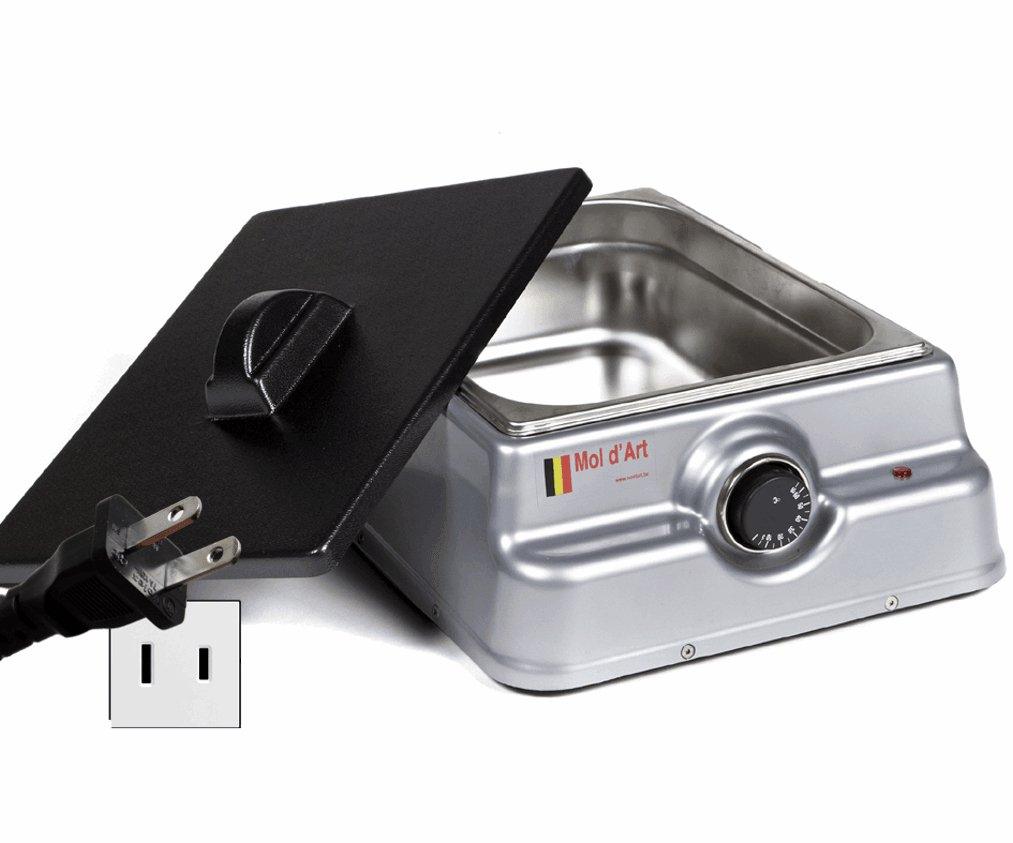
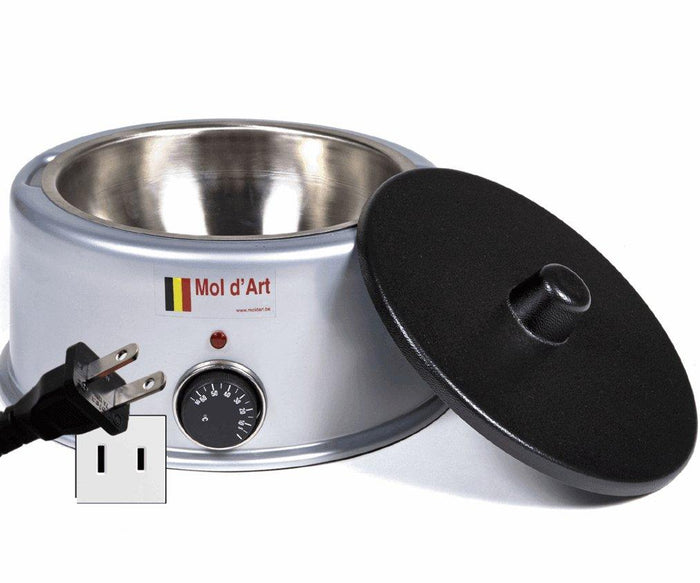
An analogue Meltinchoc has a manual thermostat that goes up to 50°C (122°F). Use it to melt and hold couverture for dipping, coating and filling.
- Fill the tank with couverture.
- Set the thermostat to the working temperature printed on your chocolate's datasheet.
- Wait for the ready indicator, then stir to check the consistency.
- Pour, dip or coat. Stir between uses so the temperature stays even.
- Refill as needed and let the new chocolate melt before you work it.
Avoid swinging the thermostat up and down. KREA explains that drifting in and out of the working range destabilises the stable crystals and lets bloom-prone crystals form over time; a steady temperature is what you want.
How to use a digital melter, step by step
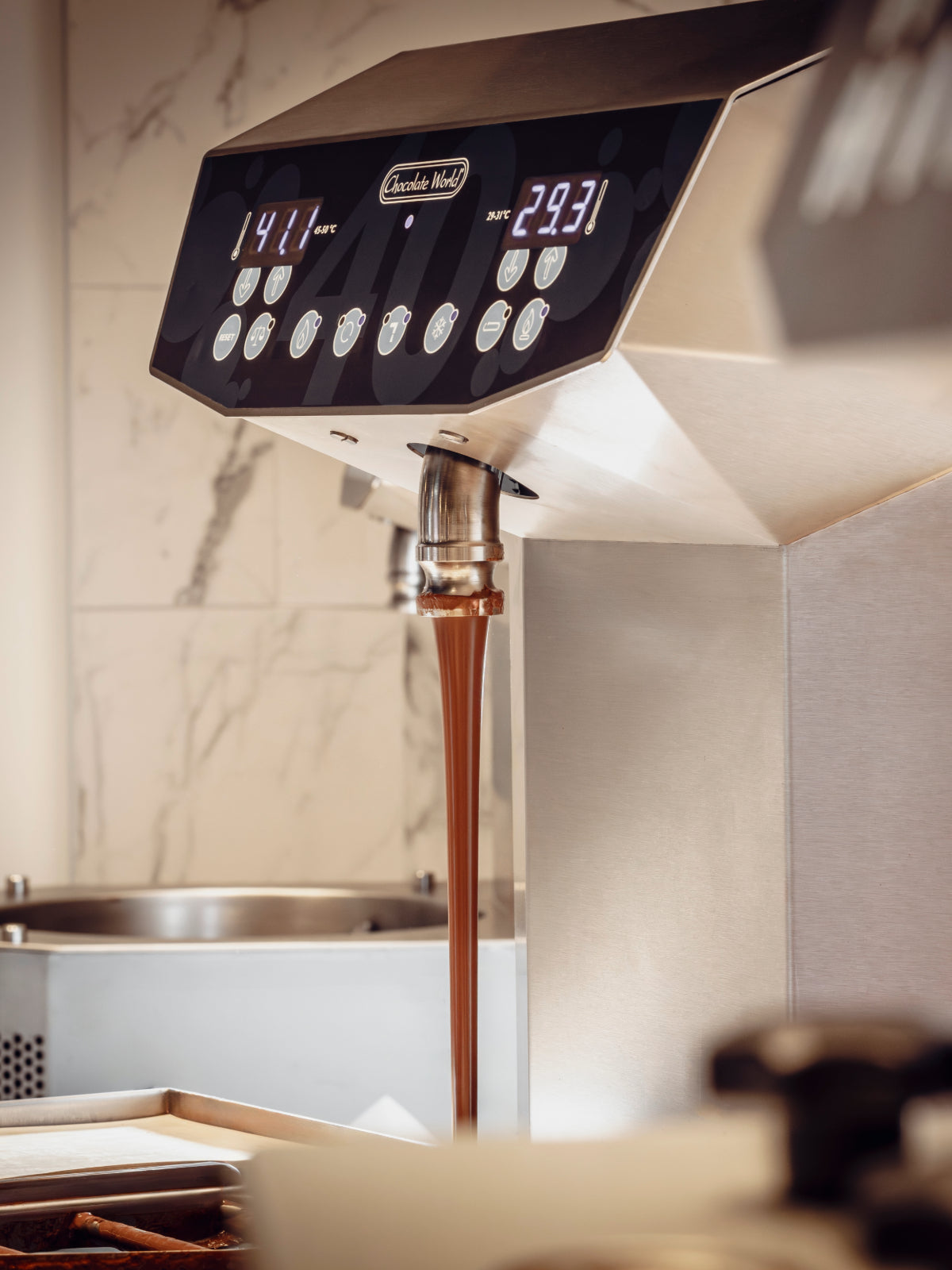
A Digital Meltinchoc reads the temperature with a probe immersed in the chocolate and runs three preset programs, one each for dark, milk and white chocolate, plus a manual mode. Martellato's instructions:
- Plug in and switch on, and check that the display lights up. Never switch the melter on without the tank holding the chocolate.
- Select a program (dark, milk or white) or manual mode with the arrows, then press Set to start melting.
- Stir when asked. A symbol and a sound every 10 minutes remind you to stir; confirm with the arrows and the cycle continues.
- Seed at 45°C. When the chocolate reaches 45°C (113°F), or the temperature you set, a symbol tells you to seed by adding more chocolate.
- Press Set after seeding. The temperature drops to the holding temperature and stays there for the whole session.
- Stir during use for even consistency, and switch the melter off after each melting cycle.
| Program | Melting temperature | Holding temperature |
|---|---|---|
| Dark | 45°C (113°F) | 31°C (88°F) |
| Milk | 45°C (113°F) | 29°C (84°F) |
| White | 45°C (113°F) | 28°C (82°F) |
| Manual | 45°C (113°F) | Set by you |
You can change a preset by holding the left arrow until the temperature flashes, adjusting it and pressing Set. Every restart returns the melter to its default presets, so note any custom setting you rely on.
What temperature to set: follow your chocolate's datasheet
The presets are a starting point; your chocolate's datasheet has the final word. KREA notes that recipes differ by type, so the right temperatures vary from one brand to the next. For example, our FCH 55% Venezuelan dark chocolate ($299.00 CAD for 10 kg) lists melting at 45–50°C (113–122°F), crystallisation at 28–29°C (82–84°F) and tempering at 31–32°C (88–90°F).
Be careful with chocolate that is already tempered. KREA explains that taking it much above about 34°C (93°F) destroys the stable crystals, and that the heat source lags behind the chocolate, so it keeps climbing after you think you have stopped. Warm it slowly and check with a thermometer. For a full guide by type of chocolate, read what chocolate is best for melting.
Troubleshooting
| Problem | Likely cause | What to do |
|---|---|---|
| Melter does not switch on | No power at the outlet or a tripped breaker | Unplug, check the outlet and breaker; if the melter trips the breaker, contact us for service |
| Melter stays cold | Temperature set too low, or no power | Check the thermostat or set point, then the outlet |
| Melter does not reach the set temperature | Loose plug or intermittent contact | Unplug at once, check the plug and socket; if it continues, contact us |
| Chocolate turns thick and stiff in the tank | Over-crystallised: stirred too fast or too long | Rewarm gently and keep a steady temperature; see how to make melted chocolate thinner |
| Dull, streaky or grey pieces after setting | Temper lost by overheating, or moisture | Keep under the working temperature and keep the station dry; see how to fix overheated chocolate |
The first three rows follow Martellato's troubleshooting table; the last two follow KREA's tempering guide.
Cleaning and storage
Clean the melter only when it is off, unplugged and cool. Martellato's order is:
- Switch the melter off and unplug it.
- Make sure no part is still hot; let it cool if needed.
- Lift out the tank and wash it with hot water and dish soap.
- Wipe the housing with a damp sponge and warm water, without splashing the electrical parts. Never submerge the base.
- Store the melter dry and unplugged, with the tank removed and dried.
A second tank lets you switch chocolates without waiting for a wash: the Martellato 6 kg stainless-steel bowl ($120.00 CAD) fits the 6 kg Meltinchoc models. For machines, moulds and tools, see our guide to maintaining and cleaning chocolate equipment.
How AI can help your production
Paste your chocolate's datasheet and the program table above into an AI assistant and ask it to write a one-page melter procedure for your team: which program or thermostat setting for each chocolate, when to seed, and how often to stir. Ask it for a temperature log with a line for each check during the day, and a cleaning checklist for closing. If you sell dipped products, it can scale your batch sizes to the tank you use so you melt only what the shift needs.
AI organises the information; tasting and the final decision stay with your chef.
Martellato melters at Zucchero Canada
We are an authorized distributor of Martellato, made in Italy, and we stock the Meltinchoc range in Calgary and ship across Canada. Every Meltinchoc includes a 145 mm professional scraper. Choose by job: the Mini and the Deep Meltinchoc for small batches and coating on sticks, the multi-tank model for two chocolates, the analogue 6, 9 and 13.7 L models for holding couverture all day, and the Digital models when you want presets that melt, prompt you to seed and hold the tempering temperature.
View countertop chocolate melters →
- View the Deep Meltinchoc 1.7 L → $669.00 CAD
- View the Meltinchoc analogue 13.7 L → $1,369.69 CAD
- View the Meltinchoc Digital 13.7 L → $1,699.00 CAD
Equipping a shop, a hotel pastry kitchen or several stations? Our B2B team can help: contact us, write to sales@zuccherocanada.ca or call 587-774-8873 (toll free 877-741-8251).
Chocolate melters | Martellato | Thermometers | Best melting machines for home use | Double boiler vs microwave
This article is for information only. Every business is different: draw your own conclusions based on your own expectations, budget and goals, and talk to qualified experts before you decide or invest.
Sources: Martellato, Digital Meltinchoc "Hand book of use and maintenance" (sections 1.0, 3.0, 5.0, 6.0, 7.0, 8.0) and General Catalogue 2026 (Meltinchoc pages); KREA Swiss Knowledge, "Tempering, what it really is and where it goes wrong" (kreaswiss.com); Zucchero Canada product data for the Meltinchoc 110 V models and FCH 55% dark chocolate.
Good to know
Frequently asked questions
How do you use a chocolate melting machine?
Place it on a stable, heat-resistant counter with 10 cm of clearance and plug it into a grounded outlet. Put the chocolate in the tank, switch on and set the temperature: turn the thermostat on an analogue melter, or choose the dark, milk or white program on a digital one. Stir regularly, keep the station dry, and switch off after each melting cycle.
What temperature should I set on a chocolate melter?
Use the temperatures on your chocolate's datasheet. As a reference, Martellato's Digital Meltinchoc programs melt at 45°C (113°F) and, after you seed, hold 31°C (88°F) for dark, 29°C (84°F) for milk and 28°C (82°F) for white chocolate. Already-tempered chocolate should be warmed slowly and not taken much above about 34°C (93°F).
Does a chocolate melting machine temper chocolate?
A melter melts chocolate and holds it at the temperature you set. A digital melter can melt to 45°C, signal when to seed and then hold the tempering temperature, but the seeding is done by you. For a machine that tempers automatically, look at a tempering machine.
Can I use water in a chocolate melter?
No. The Meltinchoc melters use dry heat: the heated base warms the metal tank directly, with no water bath. Keep water, steam and damp tools away from the chocolate, and never submerge the base when cleaning; wash only the removable tank, with hot water and dish soap.
Which chocolate melter should I buy?
For small batches and dipping on sticks, the Mini Meltinchoc 1.8 L; for two chocolates, the 2 × 1.5 L multi-tank; for holding couverture all day, the analogue 6 L; for presets that melt, prompt seeding and hold the tempering temperature, the Digital 3.6 L or 6 L. All are 110 V and include a 145 mm scraper. We stock them in Calgary and ship across Canada; shipping is calculated at checkout, and orders over CAD 500 get 5% off automatically.
Shop this article
Products mentioned in this guide
 Martellato"Mini Meltinchoc" Chocolate Melter 1.8 L – MC09GUSAFrom $390.00 CADView product →
 MartellatoMeltinchoc Analogue Melter Multi-Tank 3 L – MC108$865.00 CADView product →
 MartellatoMeltinchoc Analogue Melter 6 L – MC102110V$925.00 CADView product →
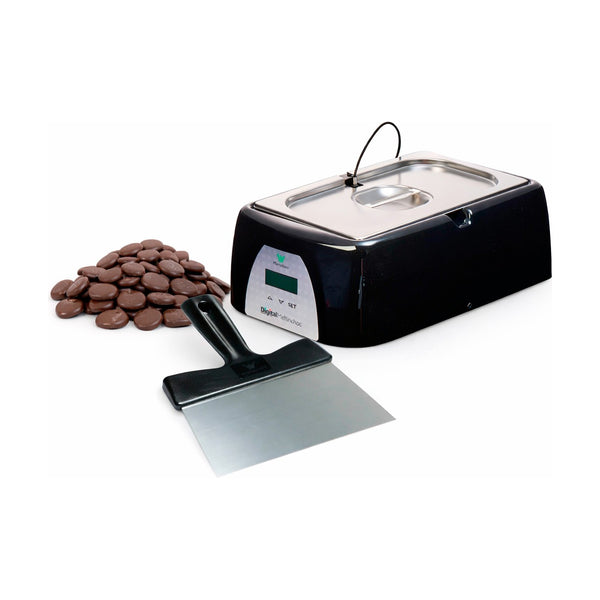 MartellatoMeltinchoc Digital Melter 3.6 L – MCD101110V$1,150.00 CADView product →
For professionals
Equipping a chocolate shop, bakery or kitchen?
Tell us what you produce and how much. We will recommend the right machine, moulds and ingredients, and send you a quote.
For home bakers
Professional tools for your own kitchen
The same European moulds, tools and ingredients the professionals use.
5% off orders over $500 CAD, applied automatically at checkout.
Keep reading

Leave a comment
All comments are moderated before being published.
This site is protected by hCaptcha and the hCaptcha Privacy Policy and Terms of Service apply.